

01
The important problem hides in routine noise
Security alerts, overdue patches, failed checks, backup warnings and tickets all compete for attention. The team spends time deciding where to look before it can start fixing anything.
Correlta shows you what is exposed, overdue, failing, stale or simply unknown across your estate, security, Microsoft 365, backups, websites, monitoring and support — so your team knows what to deal with first.
Most organisations already have plenty of tools. The problem starts when every useful answer lives somewhere different and your team has to reconnect the story each time something matters.
Why that gets expensive →Security alerts, overdue patches, failed checks, backup warnings and tickets all compete for attention. The team spends time deciding where to look before it can start fixing anything.
A device issue may also involve a user, a site, a patch gap, a security alert or an open support case. Looking at each in isolation makes simple questions harder than they should be.
People collect screenshots, compare reports and chase context just to establish what happened. By the time the picture is clear, the useful conversation has barely started.
Start with what needs attention, see who or what is affected, then move straight into the evidence behind it. The team can spend its time changing the outcome rather than finding the story.
Is anything exposed? What is overdue? Which user or site is affected? Is the problem current? Can you prove the backup, the patch state or the support history? Correlta is organised around those questions.
Use the overview to find the work that deserves attention, then open only the area that helps you decide what to do next.
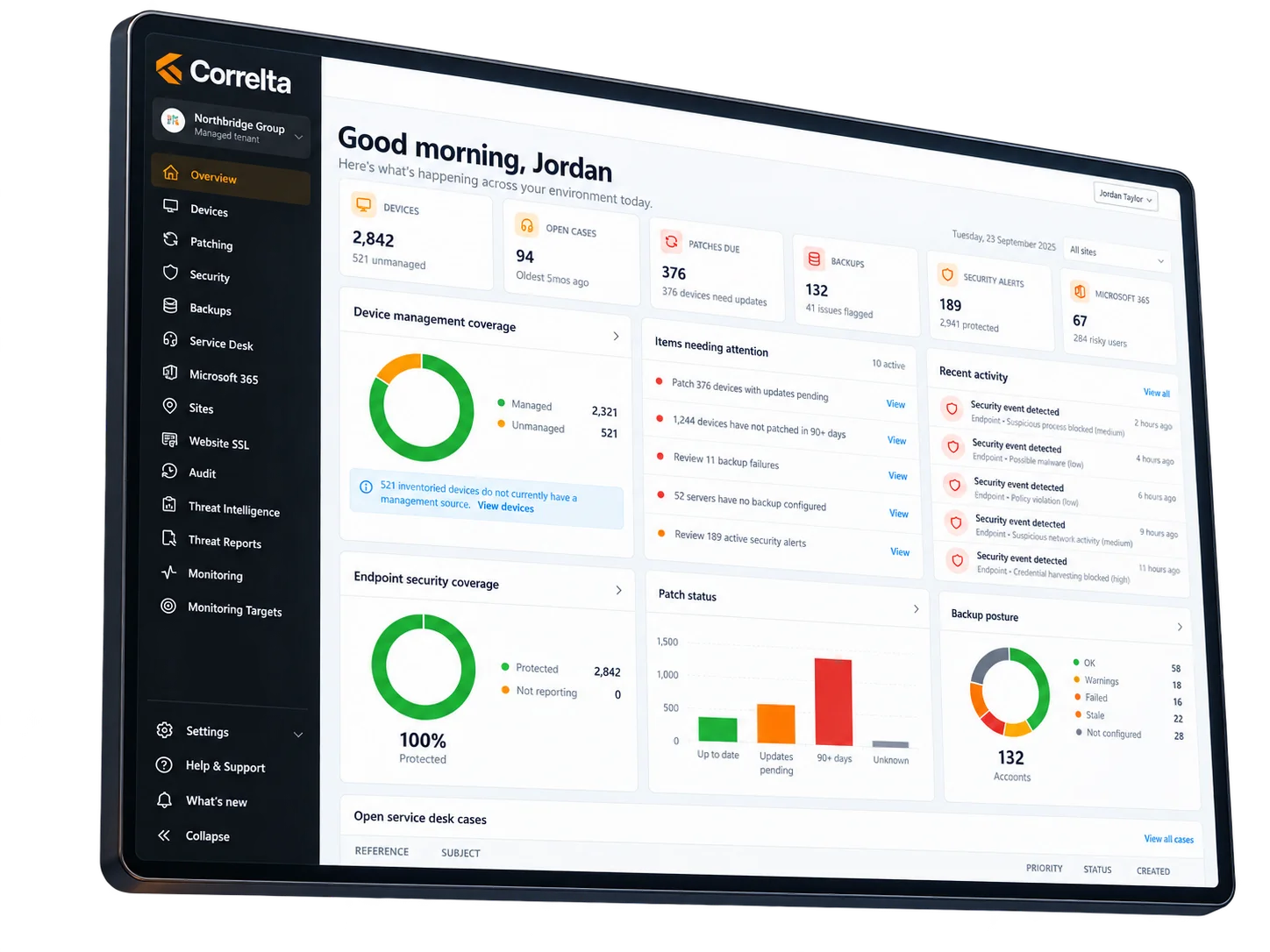
Each Correlta module stands on its own. The bigger advantage appears when the same device, user, site and issue can be understood in the wider context around it.
See devices, people, sites and Microsoft 365 context clearly enough to answer what you have, who it belongs to and where the gaps are.
Estate & identity →Bring patching, endpoint security, external sharing and threat findings into a work queue your team can actually prioritise.
Security & exposure →Keep backup protection, monitoring, website health and support demand close enough together to spot trouble and follow it through.
Resilience & service →The platform earns its keep when the next step becomes obvious sooner.
Start with the issues that are exposed, overdue, failing, stale or waiting for review.
Keep the device, person, site and related service context close to the problem.
Fix it, investigate it, schedule it, hand it over or take it into a decision.
Go back to the evidence when somebody asks why the issue mattered or what changed.
Correlta is most useful when the answer needs to be clear, defensible and quick to act on.
See what changed overnight and what deserves attention before routine work fills the day.
See the affected asset, surrounding context and next investigation path without starting again in each system.
Move the conversation onto demand, risk, outstanding work and evidence instead of spending the meeting assembling the numbers.
Answer what is wrong, what is improving, what needs investment and what can wait without translating a wall of technical detail first.
Current information stays current, older evidence is clearly labelled and partial coverage remains visible. That makes every status easier to judge and act on.
Show us the problem, review or decision that currently takes too much joining-up. We will show you how the relevant Correlta modules change that process.